Disabling the 'No valid subscription' warning in Proxmox VE 9
The Proxmox team has passive-aggressively stated multiple times that the easiest way is to support the project by purchasing a subscription (+ what else would you expect them to say, should they explain how to disable it?): See.
In this post, I will explain how to take the hard route and disable the ‘No valid subscription’ warning on Proxmox VE 9, which is licensed under AGPLv3.


- Back up the JS code on the Proxmox server:
cp /usr/share/javascript/proxmox-widget-toolkit/proxmoxlib.js /usr/share/javascript/proxmox-widget-toolkit/proxmoxlib.js.backup
- Make the relevant changes to the JS code:
--- /usr/share/javascript/proxmox-widget-toolkit/proxmoxlib.js.backup	2026-07-15 01:04:57.290238249 +0300
+++ /usr/share/javascript/proxmox-widget-toolkit/proxmoxlib.js	2026-07-15 01:06:38.398768830 +0300
@@ -607,27 +607,9 @@
                 },
                 success: function (response, opts) {
                     let res = response.result;
-                    if (
-                        res === null ||
-                        res === undefined ||
-                        !res ||
-                        res.data.status.toLowerCase() !== 'active'
-                    ) {
-                        Ext.Msg.show({
-                            title: gettext('No valid subscription'),
-                            icon: Ext.Msg.WARNING,
-                            message: Proxmox.Utils.getNoSubKeyHtml(res.data.url),
-                            buttons: Ext.Msg.OK,
-                            callback: function (btn) {
-                                if (btn !== 'ok') {
-                                    return;
-                                }
-                                orig_cmd();
-                            },
-                        });
-                    } else {
-                        orig_cmd();
-                    }
+
+                    orig_cmd();
+
                 },
             });
         },
- Restart the
pveproxyservice:
systemctl restart pveproxy ; systemctl status pveproxy
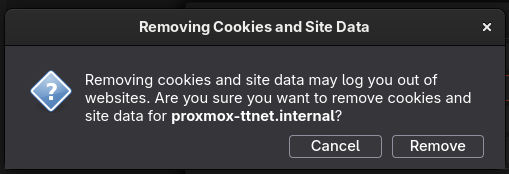
- Clear the browser cache: